
Every shot by typePRO
Forehand, backhand, serve, slice, volley, lob, bandeja (with víbora) and smash – counted and recognised from the wrist.
Connect IQ app for Garmin watches
Wear your Garmin on your racket hand. Padel Analyzer keeps the doubles score with golden point, recognises your shots from forehand to bandeja and smash, and saves it all to your activity in Garmin Connect.
15 days of Pro free, then a one-time 9.99 USD + VAT. No subscription.
What it tracks
The watch's motion sensors read every swing. You only press one button after each point – the app does the rest and writes it into your Garmin activity.
Forehand, backhand, serve, slice, volley, lob, bandeja (with víbora) and smash – counted and recognised from the wrist.
Advantage, golden point or star point. Best of 3 sets, 2 sets + super tiebreak, single set, pro set to 9 or super tiebreak only. A vibration when you change ends.
The watch follows the serving order of all four players. If your pair swaps, Menu → Who serves puts it right. Golden point, break, set and match point show on screen.
A power index for each shot from wrist rotation, with your session average, your best and your strongest overhead.
First serve percentage, break points and rally length are counted automatically. Aces, winners, errors, net and out take one press after the point.
All matches or indoor and outdoor courts apart, your last match against your average, win–loss record, rally length, heart rate, set and match time. Trainings with shots by type.
On the watch
Screens designed for a glance on court, from the 240 px fēnix 6S Pro to AMOLED epix and Forerunner 965.
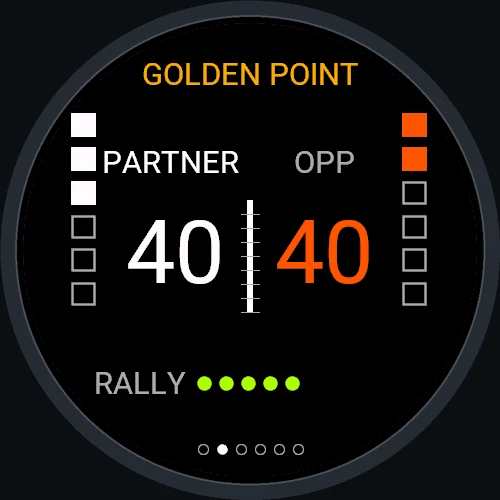
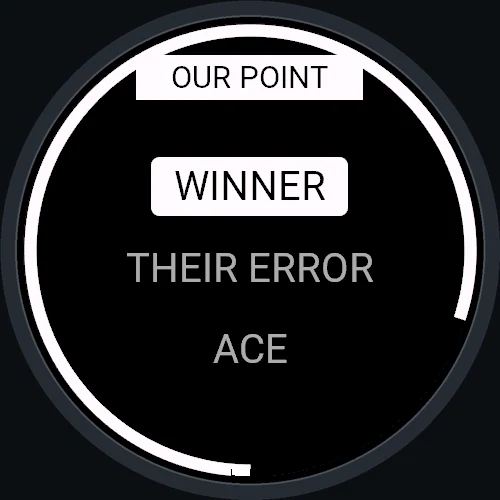
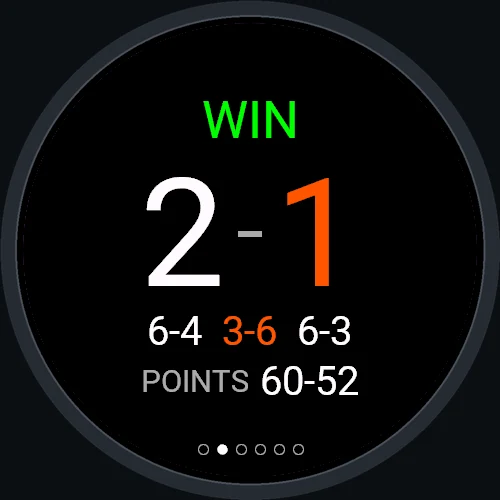
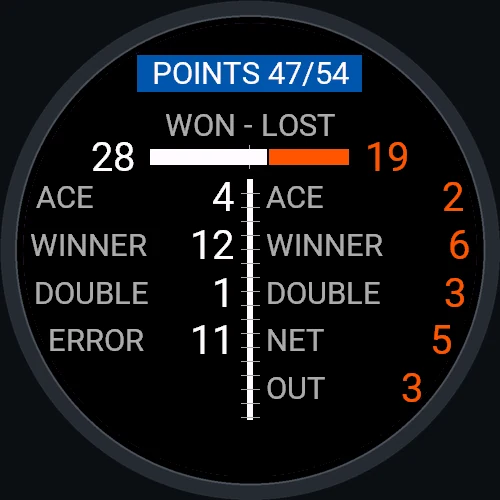
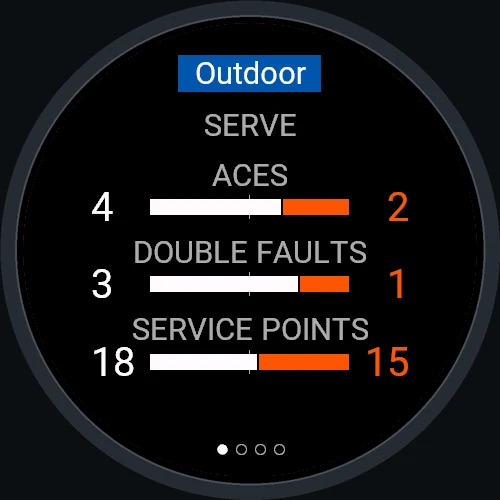
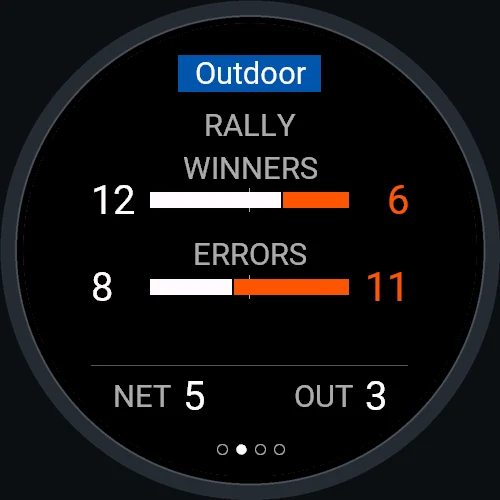
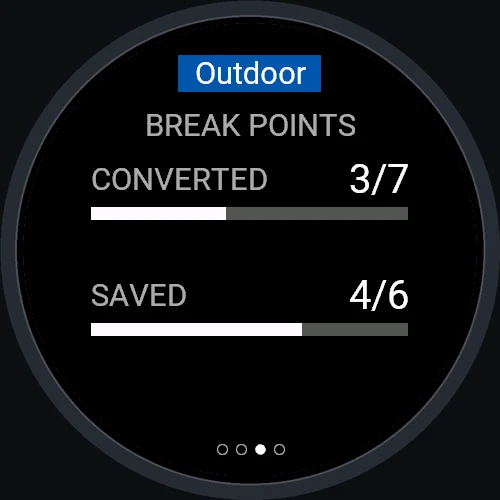
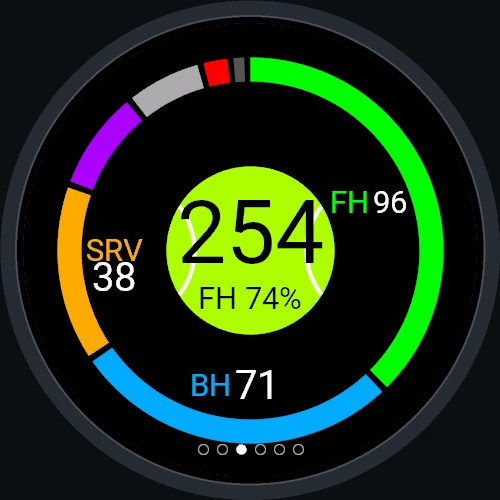
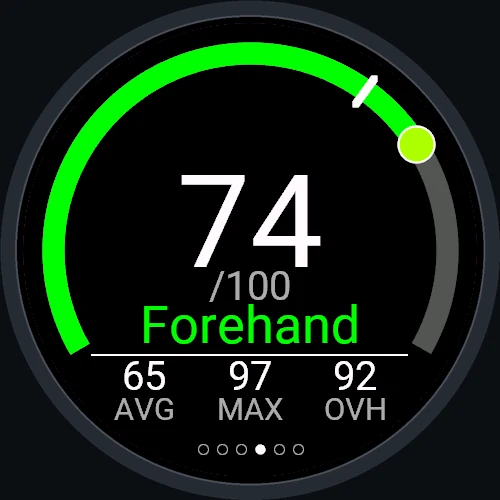
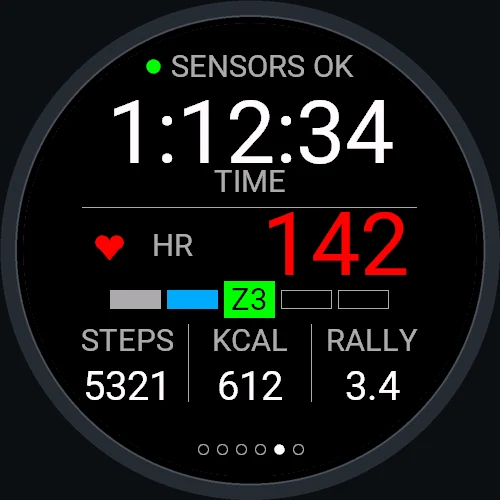
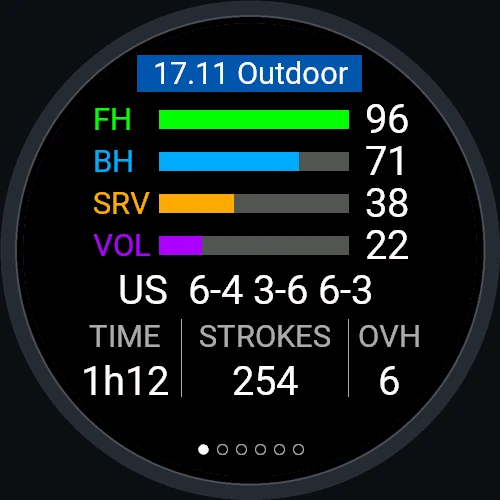
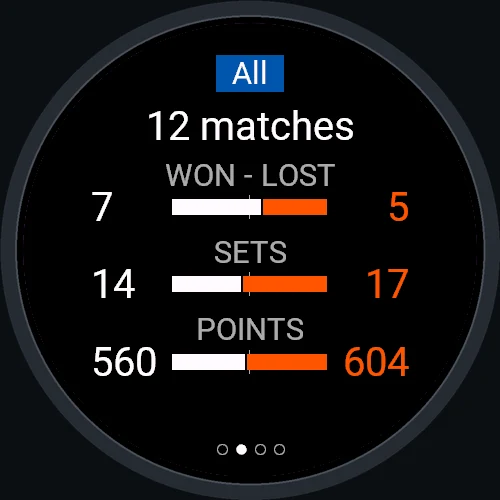
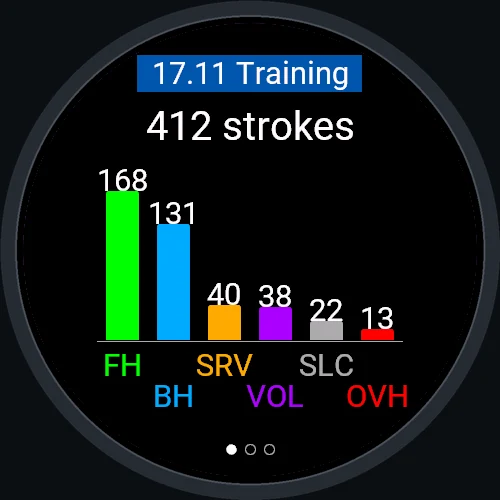
Scroll sideways for more screens.
How to use it
Everything during a match happens with the physical buttons, so it works with sweaty hands and between fast points.
Get Padel Analyzer from the Connect IQ store. Right hand by default – left hand and the other wrist can be set in the app settings.
Open the app and hold UP for the menu. Start match asks for the format, the rule at deuce, an indoor or outdoor court and who serves first. Start training (Pro) has no scoring. Nothing is recorded before you start.
UP when your pair wins the point, DOWN when the opponents do, BACK to undo a mistake. With detailed point stats on (Pro), a short window lets you tag how the point ended.
START or a swipe turns the pages: Score, Shots, Power, Effort and Clock. After the last ball you also get the Points and Serve pages.
Menu → Save and exit. The activity goes to Garmin Connect with a lap per game and four charts, plus shot types and match statistics in Pro.
Garmin Connect app → your watch → Connect IQ apps → Padel Analyzer → Settings: racket hand and wrist, sensitivity, vibration, calibration, match defaults and detailed point stats.
Playing works without a phone. The phone is only needed to sync the activity and, in the trial, to check the licence.
To the wrist a padel serve looks like a groundstroke, so the app uses the point: the first strong shot of your own service point is the serve, and the watch learns your serving stance.
Free vs Pro
After installing you get the full Pro version for 15 days. Then the app keeps working as the free version, or you unlock Pro once – no subscription, no account.
A reliable padel scorekeeper
The full analyzer, for good
Players shape the next versions
| Feature | Free | Pro |
|---|---|---|
| Padel score: best of 3, 2 sets + super tiebreak, single set, pro set to 9, super tiebreak onlyAdvantage, golden point or star point; break, set and match point; change ends | ||
| Serving order of all four players, Menu → Who serves | ||
| Activity recording: time, heart rate, calories, steps | ||
| Shot counter | total | by type |
| Shot recognition: forehand, backhand, serve, slice, volley, lob, bandeja, smash | ||
| Power index 0–100 | ||
| Point types: ace, winner, error, net, out, double fault | ||
| After the match: Points and Serve pages | ||
| Training | ||
| Statistics on the watch: matches, points, trainings, indoor and outdoor courtsHistory is kept in the free version too, so it is there when you unlock Pro | ||
| Garmin Connect: a lap per game and 4 charts | ||
| Garmin Connect summary | sets, points, shots | full |
How to buy: on the watch open Menu → Padel Analyzer Pro. It shows a short code – enter it on your phone at kzl.io/code and pay with PayPal or a card. Pro unlocks on the watch shortly, no restart needed. Payments and VAT are handled by our partner KiezelPay. Padel Analyzer and Tennis Analyzer are separate apps, each with its own trial and its own Pro.
Compatible watches
Watches with a gyroscope and enough memory for shot recognition – the same models as Tennis Analyzer.
fēnix 6 Pro watches have no padel activity type, so Garmin Connect lists their sessions as tennis. All the padel statistics are there all the same.
FAQ
Forehand and backhand are recognised most reliably. Slice, volley, lob and telling a bandeja from a smash are harder with a single wrist sensor. On the watch screens smashes and bandejas are grouped as overheads (OVH); your activity in Garmin Connect keeps them apart.
The padel serve is underhand and looks like a groundstroke to the wrist, so the app uses the point: the first strong shot of your own service point is the serve. The watch also learns your serving stance to spot second serves.
Left-handed play and wearing the watch on the other wrist can be set in the settings. The app was developed on court with a right-handed player, so feedback from left-handers is very welcome.
Most padel courts are indoors, where GPS hardly works, and the whole court is smaller than the watch's position error. So the app does not use location at all.
English, Polish, French, Spanish, Italian and German – the watch uses the language set in its own settings. Menus, match screens, statistics and the field names in Garmin Connect are translated.
No. The phone is needed only to sync the activity to Garmin Connect and, during the trial or the purchase, for the watch to check its licence.
No. Pro is a one-time payment of 9.99 USD plus VAT and is tied to your watch.
Padel Analyzer is a separate app with its own trial and its own Pro, so a Tennis Analyzer licence does not unlock it. Both apps can be installed side by side on the same watch.
Only for the trial and the Pro unlock. Through your phone the watch sends the app identifier, an anonymous device identifier and the watch model to KiezelPay – never your padel data or health data. Details in the privacy policy.
Ball speed from a wrist sensor needs calibration with a radar. The watch shows the 0–100 power index, which puts shots in the right order. Garmin Connect also charts the speed estimate.
Padel Analyzer gets better with every update, based on players' feedback. Write to contact@tennis-analyzer.com or use Contact Developer in the Connect IQ store. If you can, add the date of the session – the activity file helps a lot. How we handle such files is described in the privacy policy.